
In almost every Oracle APEX project, developers face the same early challenge:
The application UI is ready, but tables are empty
QA teams ask for realistic data to test reports and filters
Business users want demos that look real
Developers need sample data to validate SQL logic
The usual approaches—manual INSERT scripts, copied production data, or random dummy records—are either time-consuming, risky, or unrealistic. Test data often remains in tables longer than intended and sometimes even leaks into higher environments.
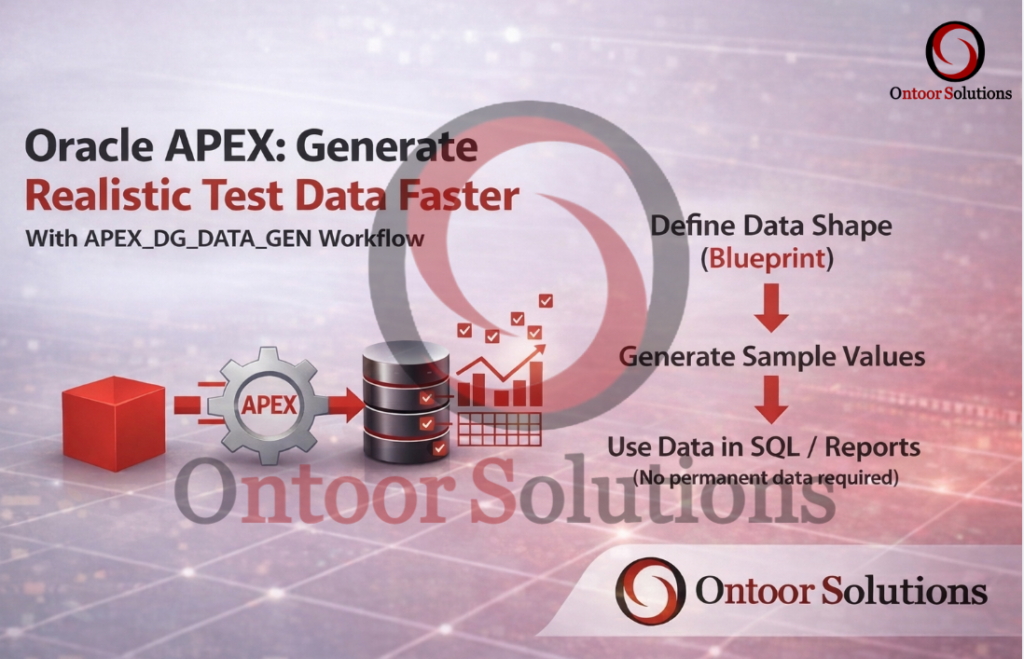
Oracle APEX provides a built-in solution to this problem through APEX_DG_DATA_GEN, a data generation engine designed specifically for creating realistic test and demo data without relying on real business information.
This blog explains what APEX_DG_DATA_GEN is, why it matters, and how to use it both from SQL and from the APEX UI in a clean, professional way.
What Is APEX_DG_DATA_GEN (In Simple Words)
APEX_DG_DATA_GEN is a built-in Oracle APEX package that generates sample data using predefined domains such as:
Person names
Countries and regions
Phone numbers
Dates
Status values
In simple terms:
APEX_DG_DATA_GEN helps you generate realistic test and demo data quickly and safely.
It is intended for:
Development
QA / UAT
Performance testing
Demos and training
It is not meant for production data or migrations.
High-Level Concept: How It Works
This makes APEX_DG_DATA_GEN ideal for on-demand and temporary data usage.
Simple SQL Example 1: Generate Names and Countries
SELECT
fn.column_value AS first_name,
ln.column_value AS last_name,
ct.column_value AS country,
country.column_value AS country_nm
FROM
TABLE(apex_dg_data_gen.get_example(‘person.first_name’, 10)) fn,
TABLE(apex_dg_data_gen.get_example(‘person.last_name’, 10)) ln,
TABLE(apex_dg_data_gen.get_example(‘country.name’, 10)) ct,
TABLE(apex_dg_data_gen.get_example(‘airport.county’, 10)) country
WHERE ROWNUM <= 10;
You can generate sample data directly in SQL without inserting anything into tables.
What This Does
Generates realistic first names
Generates last names
Generates country names
Combines them into readable rows
No INSERT statements
No cleanup required
Perfect for testing reports and SQL logic
Simple SQL Example 2: Demo Data for Reports and Charts
SELECT
nm.column_value AS customer_name,
st.column_value AS family,
rg.column_value AS region
FROM
TABLE(apex_dg_data_gen.get_example(‘person.full_name’, 10)) nm,
TABLE(apex_dg_data_gen.get_example(‘animal.family’, 10)) st,
TABLE(apex_dg_data_gen.get_example(‘country.region’, 10)) rg
WHERE ROWNUM <= 10;
This query can be used directly as:
A report source
A chart source
A demo dataset
Practical Benefits in Real Projects
1. Testing Reports and Dashboards
In real projects, you don’t want to wait for an ETL process or real data to arrive just to test your UI.
Using APEX_DG_DATA_GEN, you can validate report and dashboard behavior early in the development cycle.
This helps you test:
Pagination
Does the report handle 50+ rows correctly?
Filtering & Faceted Search
Do Faceted Search components behave correctly with diverse strings and values?
UI Polish
Do long names wrap correctly in cards or columns?
Does alignment break when data length varies?
Catching these issues early prevents surprises when real data is loaded.
2. Professional Demos That Build Confidence
First impressions matter.
Showing a stakeholder a Customer Portal filled with records like Test User A or Sample Data 1 immediately reduces confidence. Even if the functionality is solid, the application looks unfinished.
Using APEX_DG_DATA_GEN allows you to:
Show realistic names and locations
Demonstrate filters and reports meaningfully
Present the application as production-ready
This significantly improves stakeholder confidence and buy-in.
When You Should Use APEX_DG_DATA_GEN
Use it when:
You need test data quickly
Real data is unavailable
You want realistic demos
You want zero cleanup effort
When You Should NOT Use It
Avoid using it when:
Migrating real business data
Integrating external systems
Working in production
Handling sensitive information
Summary
APEX_DG_DATA_GEN is one of the most underrated tools in Oracle APEX.
When used correctly, it allows developers to:
Generate realistic test data on demand
Test reports and dashboards safely
Build professional demos
Keep environments clean
For any serious Oracle APEX developer, mastering APEX_DG_DATA_GEN beyond the UI can significantly improve development speed, testing quality, and overall application confidence.
The post Oracle APEX: Generate Realistic Test Data Faster with APEX_DG_DATA_GEN appeared first on Ontoor blogs.