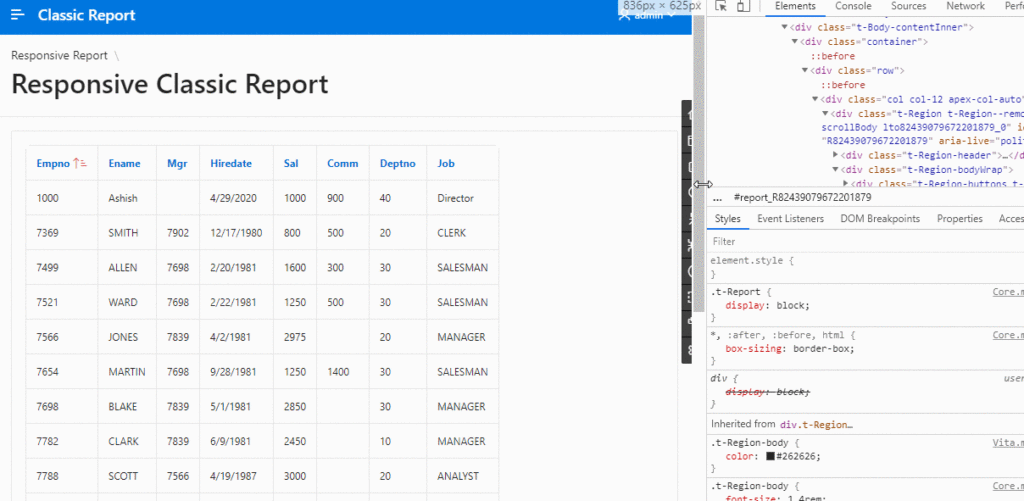

In my older article, to achieve the reflow behaviour I had to customize the template to create a Responsive Classic Report. Now we have the declarative region type dedicated to this.
Creating a reflow report involves organizing your content in a way that dynamically adjusts to different screen sizes and orientations. Reflow reports are particularly useful when creating reports for devices with varying screen sizes or for printing purposes.
Here’s a general guide on how to create a reflow report, using Oracle APEX as an example.
Create a Reflow Report:
Go to the Oracle APEX App Builder
Create a new page
Create a Region and select Reflow Report in Type
In source: select data using table/view or query
Save and run
Report headings
Available options include:
Column Names: It generates headings based on a query of the column names.
Column Names (InitCap): It generates headings, which are converted to initial capitalization, based on a query of the column names.
Custom Headings: It enables you to enter your own headings. The headings are initially defaulted, based on a query of column names.
PL/SQL Function Body: It creates headings based on a PL/SQL Function returning a colon-delimited list of names.
None: The report is displayed without report headings.
The post Reflow Report in Oracle APEX appeared first on Ontoor blogs.