
Oracle APEX provides many ways to download a file from the database. Each and every method is declarative and easy to implement. Whether you’re managing reports, generating dynamic content, or simply offering users the ability to access stored documents, APEX provides straightforward solutions that can be implemented without extensive coding.
In this blog post, we’ll dive into the various ways Oracle APEX facilitates file downloads. We’ll explore the declarative options available and provide step-by-step guidance on how to implement each method. Whether you’re an experienced developer or just getting started with APEX, you’ll find these techniques both practical and easy to follow. Let’s get started on simplifying file management with Oracle APEX!
IR Report
Classic reports
Ajax Process in application processes
Download dynamic action
Interactive Report
To download files using an Interactive report, we need to follow a few steps.
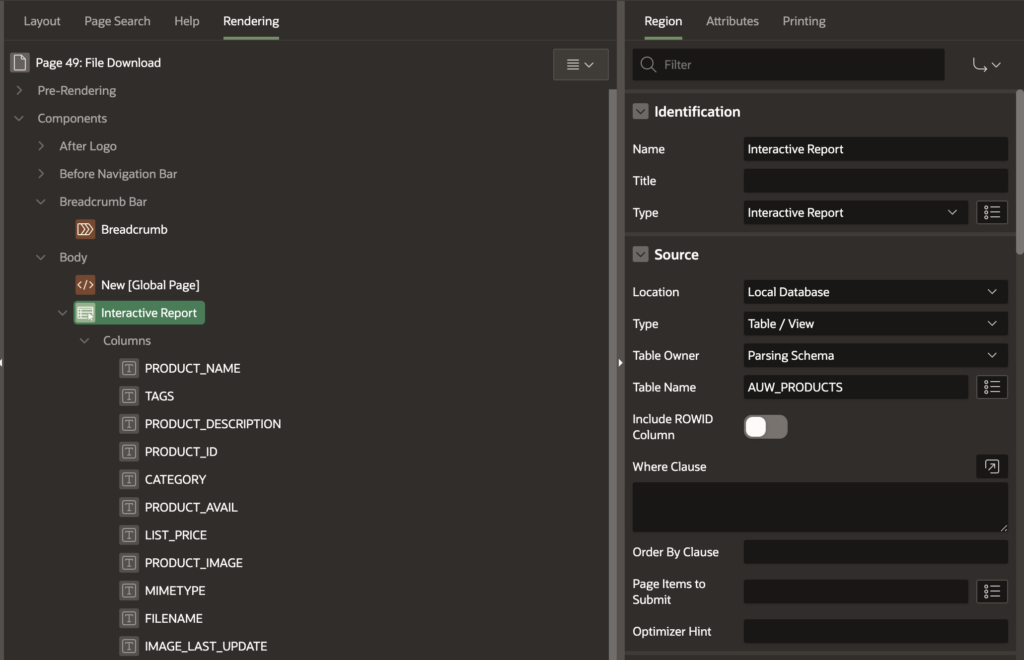
a. Create an Interactive report
b. The output report will look like the below image.
Change column type to Download BLOB.
After changing the column type, configure the BLOB attributes
Add download text
<i class=”fa fa-2x fa-image” title=”Download”></i>
2. Classic report
3. Using AJAX process
Step 1: Create a download procedure to call in the AJAX process.
CREATE OR REPLACE PROCEDURE download_file(
in_file_name IN VARCHAR2,
in_mime_type IN VARCHAR2,
in_blob_content IN BLOB
)
AS
l_blob BLOB:= in_blob_content;
begin
sys.htp.init;
sys.owa_util.mime_header( in_mime_type, FALSE );
sys.htp.p(‘Content-length: ‘ || sys.dbms_lob.getlength( l_blob));
sys.htp.p(‘Content-Disposition: attachment; filename=”‘ || in_file_name || ‘”‘ );
sys.htp.p(‘Cache-Control: max-age=3600’);– Cache hours
sys.owa_util.http_header_close;
sys.wpg_docload.download_file( l_blob );
apex_application.stop_apex_engine;
end download_file;
Step 2: Create an application item
Step 3: Create AJAX callback process
DECLARE
CURSOR c_get_file
IS
SELECT PRODUCT_IMAGE, MIMETYPE, FILENAME
FROM AUW_PRODUCTS
WHERE PRODUCT_ID = :AI_PRODUCT_ID;
l_product_image BLOB;
l_mimetype varchar2(100);
l_filename varchar2(100);
BEGIN
OPEN c_get_file;
FETCH c_get_file INTO l_product_image, l_mimetype, l_filename;
CLOSE c_get_file;
IF dbms_lob.getlength(l_product_image) > 0 THEN
download_file(
in_file_name => l_filename,
in_mime_type => l_mimetype,
in_blob_content => l_product_image);
END IF;
END;
Now link the process to the product,
Go to IR or Classic report and any column to create a link.
4. Download dynamic action
The post Efficiently File Download in Oracle APEX | Ontoor Solutions appeared first on Ontoor blogs.